Manage JIRA Projects for QMetry Integration
As a JIRA administrator, you control which JIRA projects can map to QMetry projects. You can make all JIRAprojects available for mapping, or make only the projects you enable available. Limiting the available projects keeps unrelated or restricted JIRA projects out of QMetry and reduces the project mapping list.
Prerequisites
Before you begin, make sure of the following:
You have JIRA System Administrator access.
QMetry is connected to JIRA.
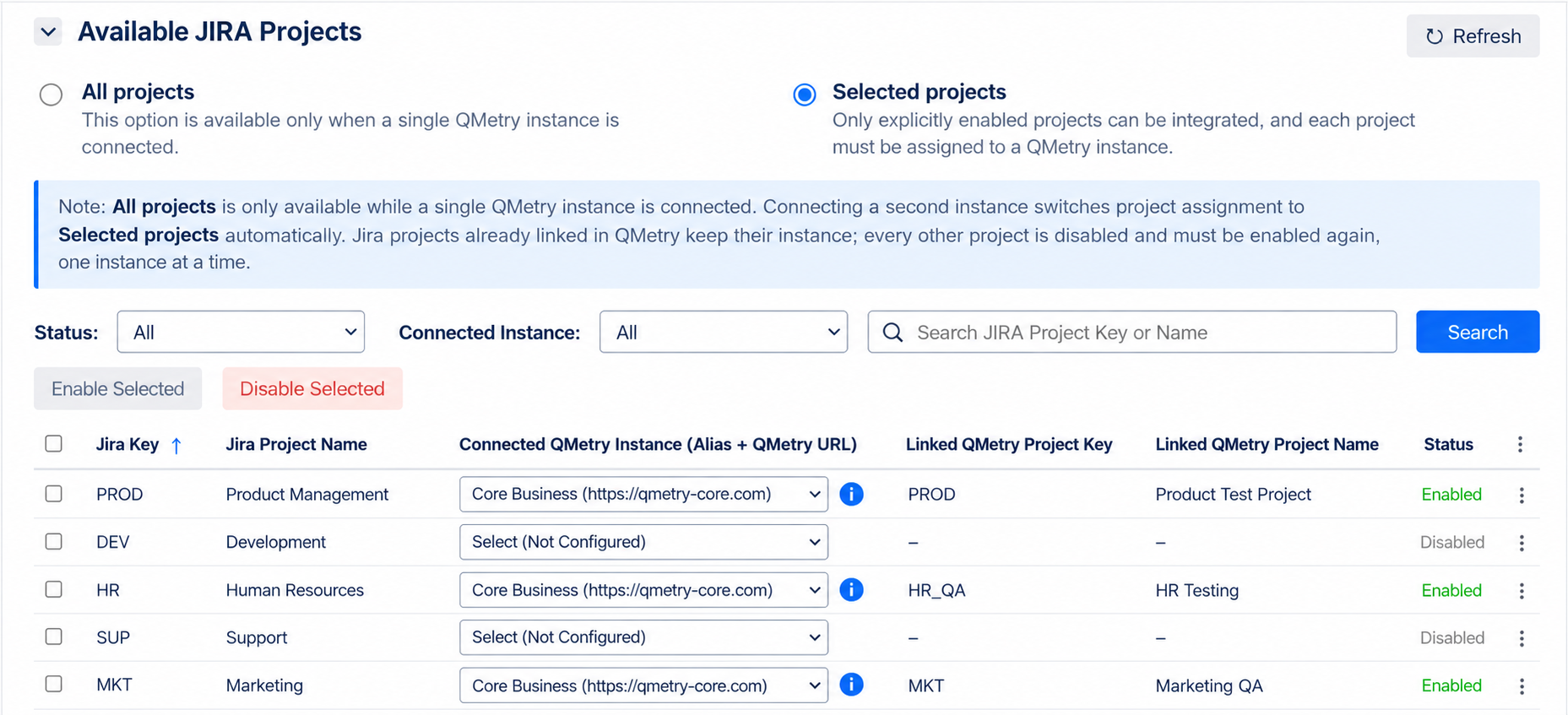
Available JIRA Projects
Option | Description |
|---|---|
All projects | All current and future JIRA projects can integrate with QMetry. |
Selected projects | Only projects you enable can integrate. New JIRA projects are not enabled automatically. |
Note
On a new installation, the app starts with All projects selected and all Jira projects enabled.
When you switch from All projects to Selected projects, the app disables every JIRA project except the projects that are already linked to a QMetry project.
Enable or Disable JIRA Projects
To choose which projects can integrate, do the following:
In JIRA, go to Administration, and select the Manage apps tab.
On the navigation pane, under QMetry Test Management, select QMetry Configuration.
In the Available JIRA Projects section, select All projects or Selected projects. If you select All projects, no further steps are needed.
Select the checkbox for each project you want to enable or disable. If a JIRA project you created recently is not in the list, click Refresh.
Click Enable Selected or Disable Selected.
Note
A single Jira project can link to more than one QMetry project.
Filter, Search, and Bulk Actions
In the Status list, select a status to filter the projects.
In the Search box, enter a Jira project key or name, and click Search. You can search the project list by Jira project key or name only.
Select the required project and then click Enable Selected or Disable Selected.
Click Refresh to reload the list of Jira projects.
Rules for Linked Projects
You cannot disable a Jira project while it is linked to a QMetry project. First, remove each of its integrations in QMetry.
If you select Jira projects that are already linked to QMetry projects and click Disable Selected, the application disables only the projects that are not linked.