Managing Platforms
Create platforms to define the configurations used to test software components or builds. A platform represents a specific test configuration and helps teams test builds consistently across supported environments.
Web applications platforms might be based on different combinations of OS and Browsers: Windows+IE8, Windows+FF, MacOS+FF, etc.
Mobile applications might require combinations like: AT&T+IPhone 4G, Vodafone+IPhone 4G, Airtel+IPhone 4G, etc.
Add Platforms
A default "No Platform" entry is available when you create a new project.
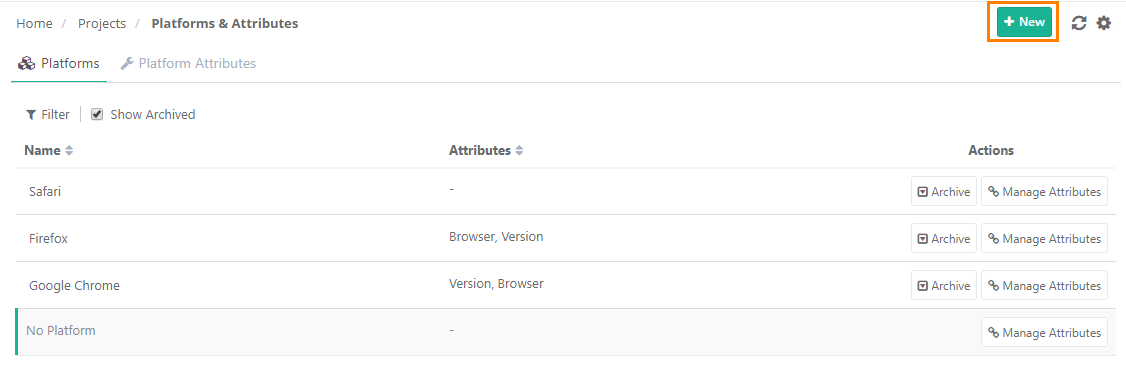 |
To add more platforms, do the following:
Under Project Management, select Platforms and Attribute.
Select the Platforms tab.
Click New.
Edit Platform Name
To edit platform name, perform the following steps:
Under Project Management open Platforms and Attributes.
Select the Platforms tab.
Hover over the Platform to modify.
Click the platform-name cell and edit the name.
Link Platforms to Test Suite
To link platforms to test suite, perform the following steps:
 |
Go to the Test Suite module.
Open the Test Suite details page.
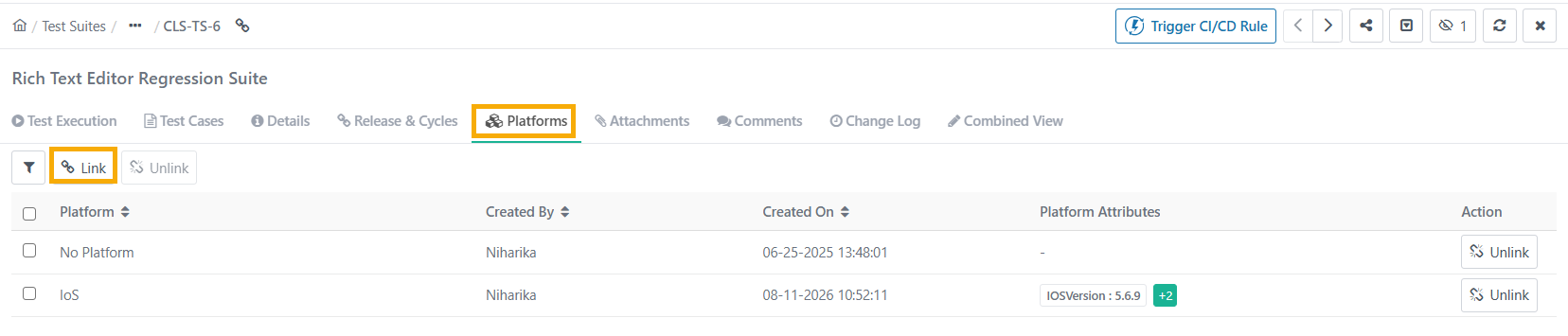
Select the Platforms tab and click Link.
Select the platforms to link and click Link Selected Platforms.
To create and link a platform that does not yet exist, click Create New Platform.
Archive and Delete Platforms
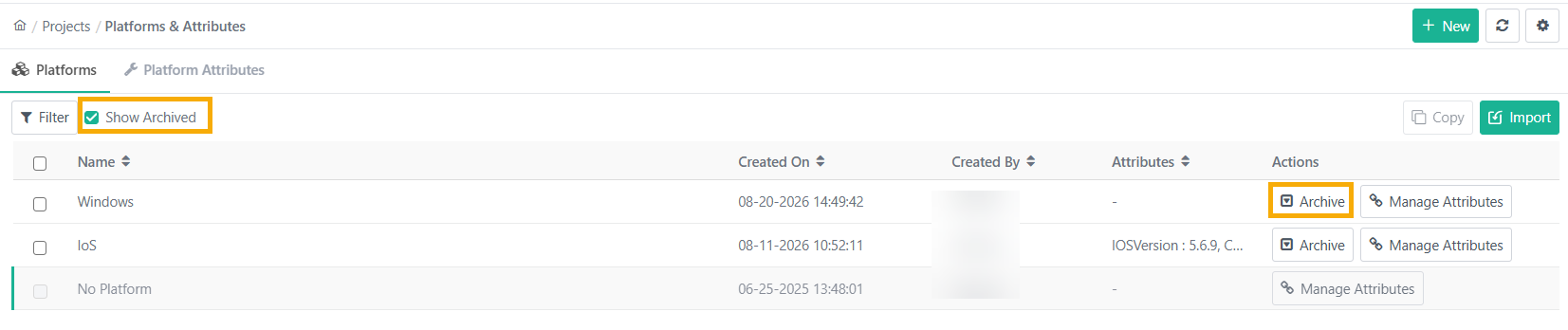
You can archive platforms that are no longer needed.
 |
Note
You cannot archive the default platform.
If you delete a platform linked to a test suite, and those test suites have already been executed, you cannot perform any actions on the execution screen of the related test runs.
Archived platforms do not appear on the Link Platform screen in the Test Suite module.
To unarchive or delete archived platforms, select the Show Archived checkbox.
Share Platforms Across Projects
Share platforms to copy the Platform values from a source project to multiple destination projects.
A project administrator wants to reuse the platforms defined in one project across multiple projects instead of manually adding and maintaining the same platform definitions in each project.
Required Permissions
You need the following permissions to copy platforms between projects.
Source or Destination | Permissions |
|---|---|
Source Project (The Project from where the platforms is copied) |
|
Destination Project (The Project where the platforms is created) |
|
Import Platforms from Other Projects
To import platforms, do the following:
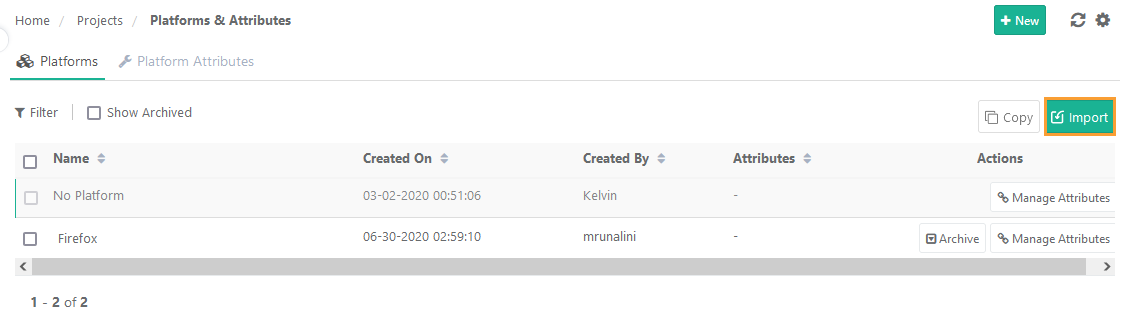 |
Open Project Management.
Go to Platforms tab.
Select .
Select the Project to import the Platforms.
Import only the Platforms: Import only platforms; platform attributes are not included.
Import Platforms and their associated Platform Attributes: Import selected platforms along with their associated platform attributes, including the values for Tag at Runtime, Is Mandatory, and Default Value. This option is disabled if the user does not have Customization View and Modify permissions.
Select the Platform values to import in the existing project.
Click .
Track the progress in the Scheduled Task section.
Note
Select a maximum of 50 platforms at a time.
Copy Platforms to Other Projects
Note
Only projects you have access to appear in the list.
You can select a maximum of 5 projects at a time.
You can select a maximum of 50 Platforms at a time.
You need Customization View and Modify permissions.
Duplicate platforms are ignored during the Copy.
To copy platforms to other projects, perform the following steps:
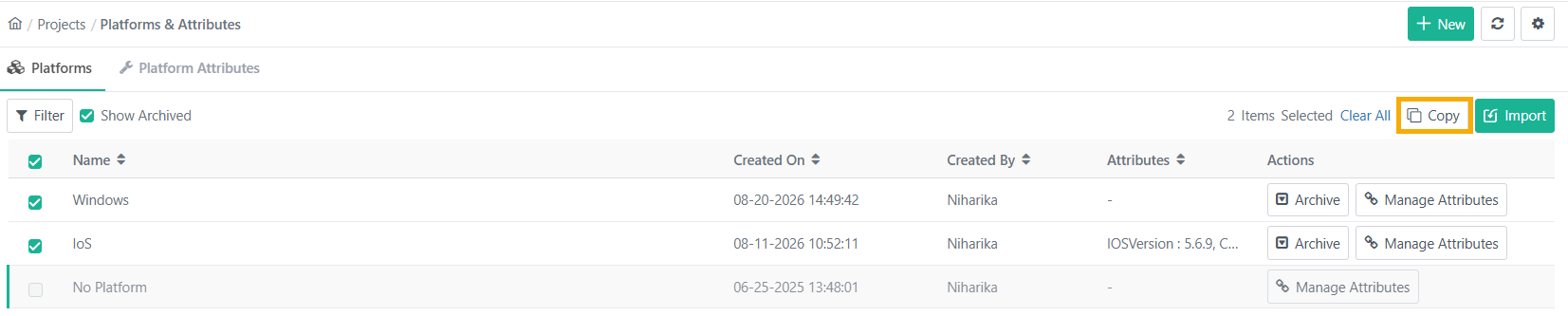 |
Go to Project and open the Platform tab.
Select the Platform values and click Copy.
Select the projects on the drop-down list.
Select either of the following:
Copy only the Platforms: Copies only the platforms. This excludes the platform attributes.
Copy Platforms and their associated Platform Attributes: Copies the selected platforms along with all their linked platform attributes and their configured field values
Click .
View the progress in the Scheduled Task section.
Bulk Operations
Carry out the following operations on multiple platforms at a time:
Bulk Archive Platforms
Bulk Delete Platforms
Bulk Unarchive Platforms
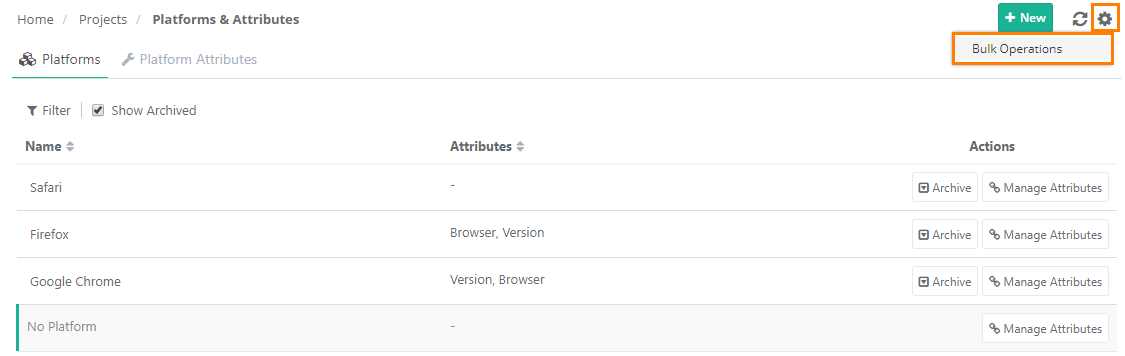 |
To perform bulk operations, do the following:
Go to Platforms.
Click the cog icon and select Bulk Operations.
Note
To delete a platform, you must archive it first.
To unarchive a platform, select Show Only Archived checkbox.