QMetry Open API
Note
The QMetry Open API documentation has moved from Apiary to Swagger, because Apiary reaches end of life on October 31, 2026. Refer to the QMetry REST API Swagger documentation for the latest specifications.
This document describes how to find, authenticate with, and try each supported API call. The Swagger documentation gives developers the details of every call, along with code samples. The Headers, Body, and Response shown there are for reference only. You can also use tools like Postman to try the APIs.
Overview of QMetry Open API Documentation
Go to the QMetry REST API Swagger documentation to view and try all APIs.
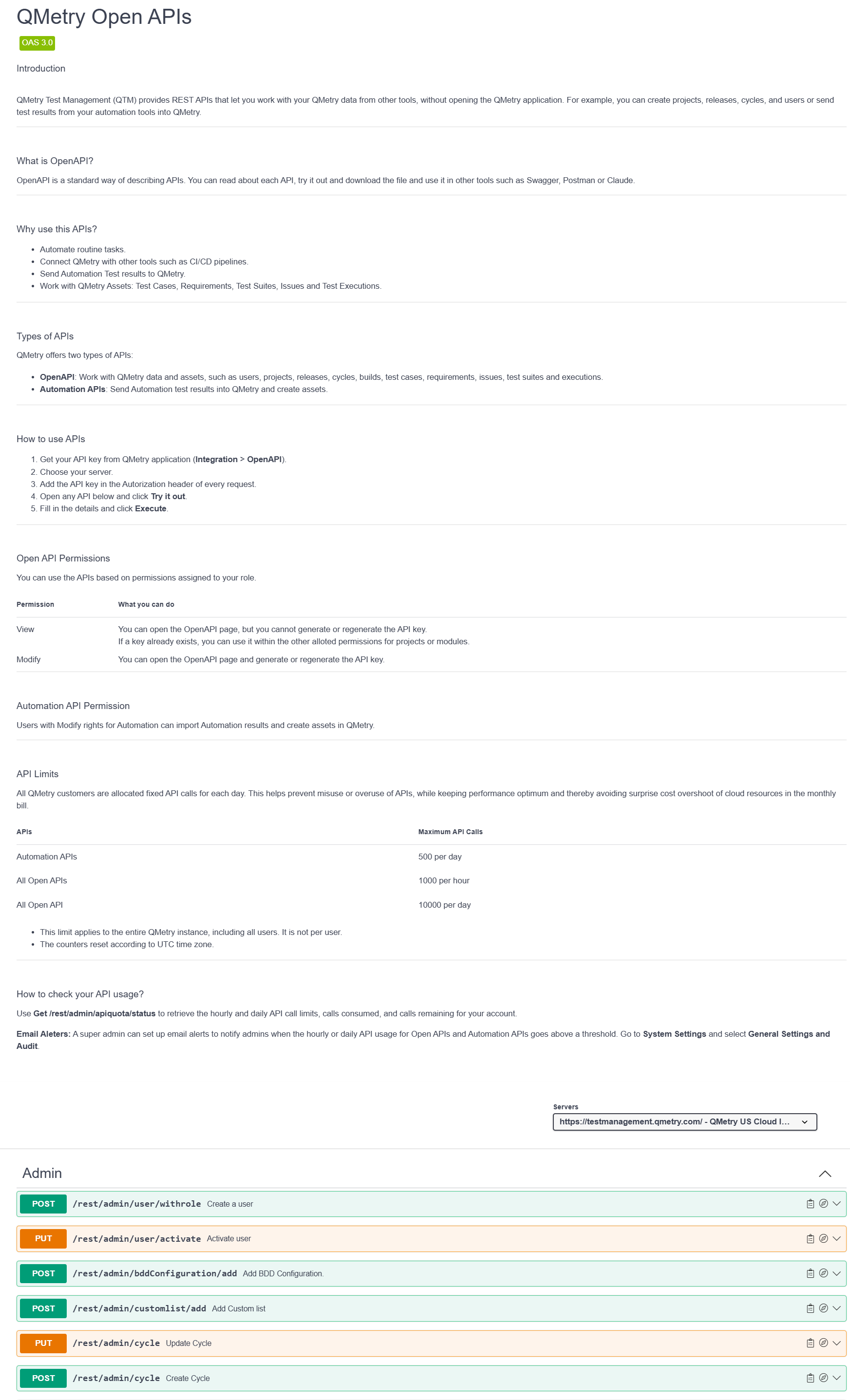 |
Benefits of using the QMetry API tool
You get a live instance to test your API, so you do not need a separate testing tool.
Headers and parameters are predefined. Provide the API key and trigger the test.
You can get the output in the language of your preference.
Authentication
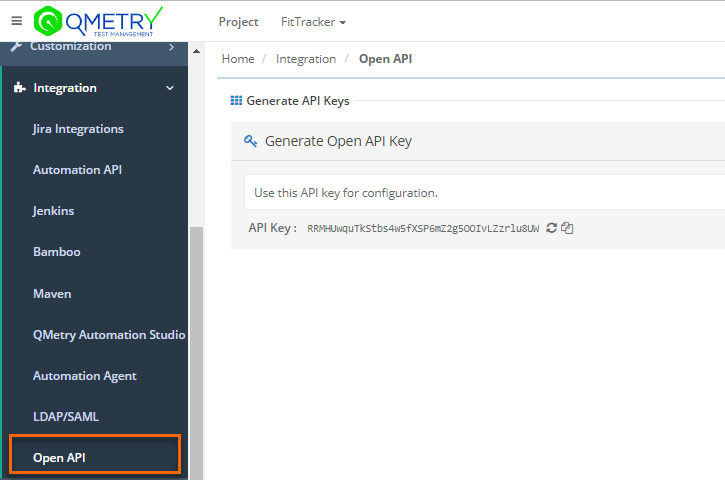
QMetry authenticates all REST API requests using an API key. Generate the key in QMetry, then provide it in the API tool before you trigger a call.
Go to QMetry > Integrations > Open API.
 |
Grouping of APIs
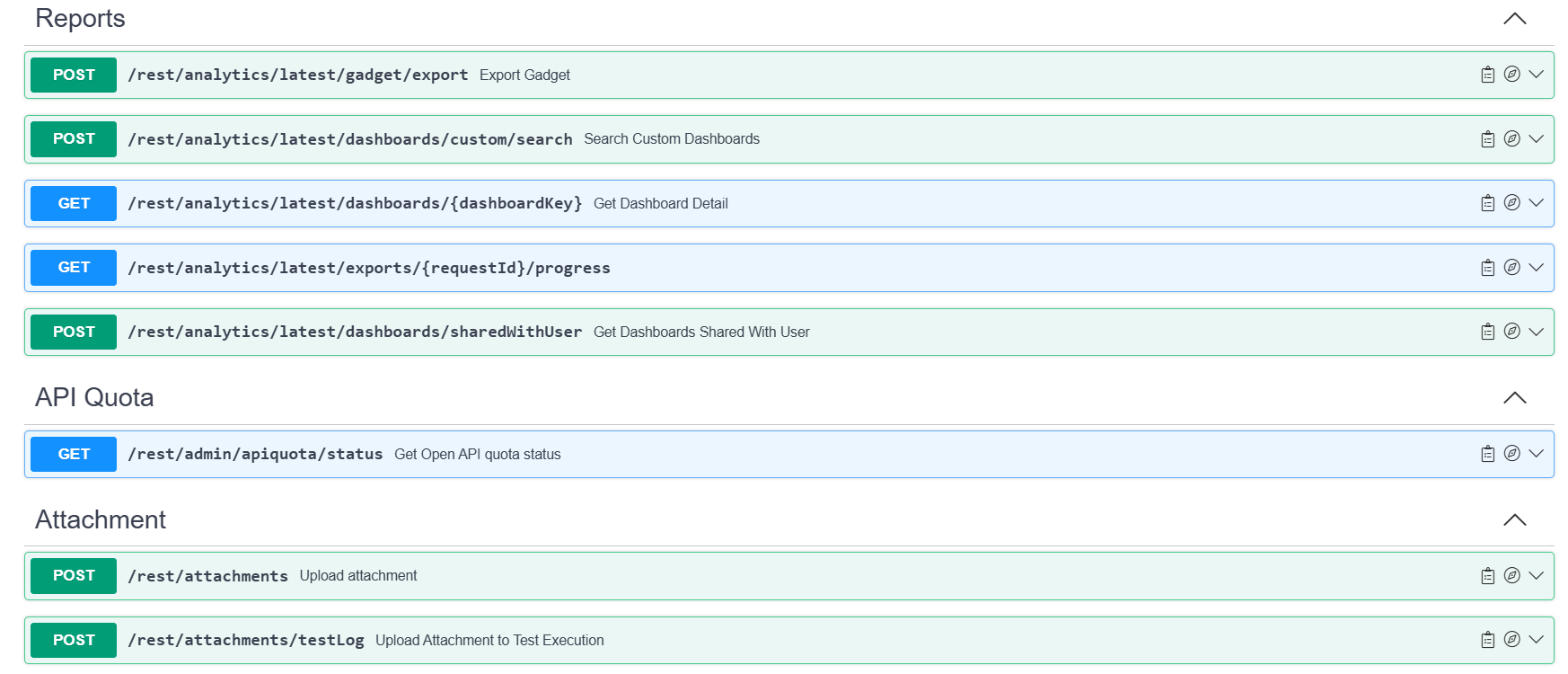
The APIs are listed in groups on the Swagger page. Expand a group to see the APIs under it, then click an API to see its examples.
For example, to get Dashboard Detail:
Expand the Reports API group.
Expand the Get Dashboard Detail. The relevant examples appear.
 |
API Allocations
All QMetry customers on the cloud are allocated fixed API calls for each day. This helps prevent accidental misuse or overuse of APIs, while keeping performance optimum and thereby avoiding surprise cost overshoot of cloud resources in monthly bill cycles.
API's | Maximum API Calls | Details |
|---|---|---|
500 Per Day |
| |
All Open APIs | 1000 Per Hour | |
All Open APIs | 10000 Per Day |
Note
Super admin can set email alerts to notify admins when the hourly or daily API usage for the Open API and Automation API exceeds the threshold. This can be done from System Settings under General Settings.